


Lumvio: AI Photo & Video
4.7170.00 Reviews
App Specs
- Version
- 1.0.7
- Updated On
- License
- Free
- Downloads
- 100,000+
- Developer
- AD VENTURE INTERNET VE PAZARLAMA ANONIM SIRKETI
- Categories
- Photography
- Platform
- Android
Screenshots
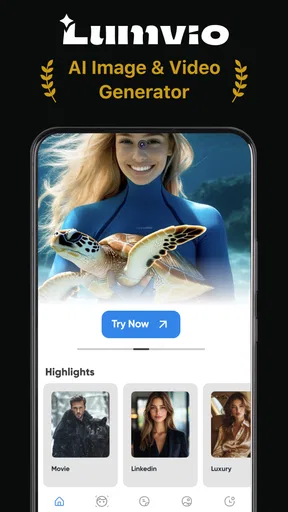
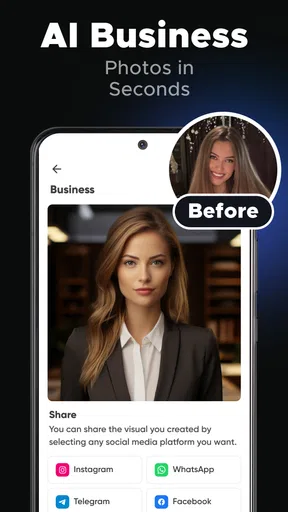
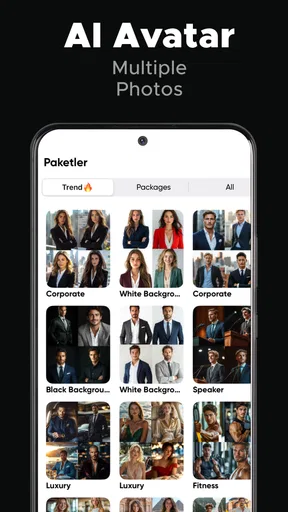
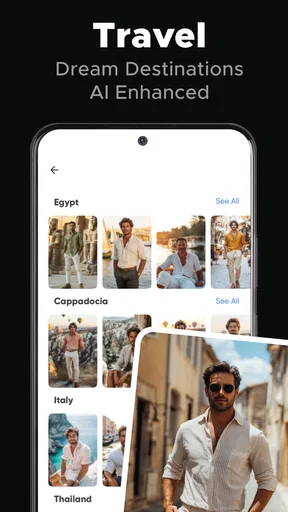
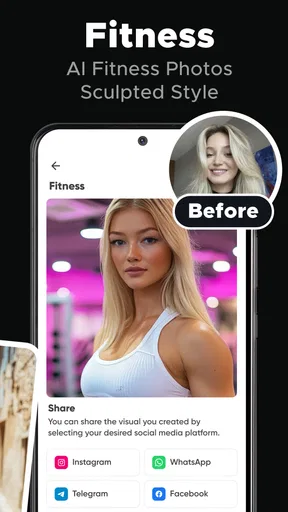
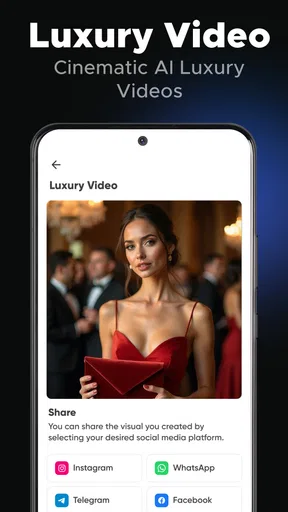
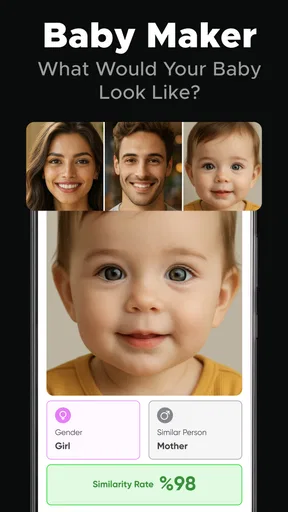
 Analysis by AppCompare
For a first try with an AI photo app, Lumvio: AI Photo & Video is best approached as a quick creative assistant rather than a replacement for careful editing. I’d start with one clear selfie, explore the generated looks, and judge the results against what I actually need: a natural-looking profile picture, a more polished portrait, or a playful image to share. That small first test makes it easier to see whether its style suits you before spending time on a larger project.
Getting Started with Lumvio
So, you've downloaded Lumvio from the app store, and you’re eager to see what it can do. Right off the bat, the app’s interface is super sleek. Navigating through the menus feels intuitive, almost like the app knows exactly what you're looking for. It doesn't bombard you with unnecessary options, which is refreshing.
The setup is straightforward. You can either snap a new pic or video directly within the app or import your existing media. I tried both methods, and honestly, importing worked like a charm. It automatically organizes your gallery, making it super easy to find that one selfie you love or the video from your last weekend getaway.
Choosing a Useful First Photo
For a first meaningful result, I’d choose a front-facing photo with your face unobstructed and enough light to show your features. A casual picture can work, but a selfie with heavy shadows, a busy background, or sunglasses gives an AI less to work with. Try one image you already like before testing several variations; that gives you a clearer sense of how the app changes your appearance rather than leaving you to guess which source photo caused the difference.
If you’re making a headshot for a work profile, keep the goal modest: aim for a version that still looks recognizably like you. A polished image is useful only if you feel comfortable using it. I’d compare the result with the original at normal viewing size, not just zoomed in, and check the eyes, hairline, and edges around the face. Those details can reveal an artificial finish that is easy to miss while browsing quickly.
AI Magic at Your Fingertips
What sets Lumvio apart from other editing apps is its AI-driven enhancements. You know those filters that make you look like you just stepped out of a magazine? Lumvio has them, but they’re smarter. The AI analyzes each photo or video, suggesting edits that are tailored to the specific content. It’s like having a personal photo editor in your pocket.
I tested this feature with a video I shot at a dimly lit concert. Normally, I’d toss it aside due to the poor lighting, but Lumvio managed to brighten the scene without making it look unnatural. The AI also adjusted the focus and sharpness, making the video look like I had a professional camera on hand. Pretty impressive, right?
Worth Reading Before You Choose

Flipboard Shows What News Apps Must Do Beyond the Feed

Switching to Android Auto Means Rethinking Your Driving Routine

Google Calendar Makes a Crowded Week Easier to Manage

Ludo King Makes the Most of the Minutes Between Plans

Baby Panda World Brings Quick Play to Modern Phones, but Its Game Library Feels Busy

ESPN’s Live Game View Makes Following Close Games Easier
That kind of rescue is handy for a clip you want to keep, but I wouldn’t treat AI enhancement as a substitute for good source footage. In low light, brightening can make noise and soft details more noticeable, so check the whole clip before deciding it is ready to share. A short test on a copy of an important video is a sensible habit: it lets you judge the result without losing the original version you may want to keep.
Creative Tools Galore
Beyond the AI enhancements, Lumvio offers a plethora of creative tools. You can add text, apply unique filters, and even play with overlays to give your photos that extra pop. I got a bit carried away with the overlays, adding a starry sky to a sunset photo. The end result? It looked like something out of a fantasy movie.
The video editing options are equally robust. You can trim, merge, and even add music. The transitions are smooth, and the app offers a decent library of royalty-free tracks, so you can find something that fits the vibe of your video without worrying about copyright issues.
For a simple everyday workflow, I’d make one deliberate change at a time. Start with the image treatment, then decide whether text or an overlay actually helps tell the story. This matters especially for a small profile image, where decorative elements can compete with your face once the picture is cropped. For a short family or travel clip, trimming the beginning and end before adding music can make the result feel intentional without turning a quick edit into a long session.
There is a trade-off between speed and control here. AI suggestions are appealing when you want a fast starting point, while a conventional photo editor is usually a better fit if you need precise control over individual tones, layers, or retouching. I’d use Lumvio when I want to explore a look quickly, then move to a more manual tool if a project depends on exact, repeatable adjustments.
Sharing Made Easy
Once you’ve created your masterpiece, Lumvio makes sharing it a breeze. Whether you’re posting to Instagram, TikTok, or just sending it to your group chat, the app optimizes your media for each platform. This is a huge time-saver and ensures your content looks its best no matter where you post it.
I was particularly impressed with how the app compresses videos. It maintains quality while reducing file size, so you won’t have to deal with those annoying "file too large" messages. It’s the little things like this that make Lumvio stand out.
Plus, there’s a neat feature where you can create a portfolio of your best work. This is perfect for photographers or influencers who want to showcase their skills without the hassle of building a separate website.
In day-to-day use, the convenient choice depends on the destination. A polished portrait for a profile can benefit from a clean crop, while a group-chat clip may matter more for its story than its finish. I’d keep an unedited original before sharing any AI-treated image, especially when the photo is meaningful or intended for professional use. That way, you can compare versions later and choose the one that feels most like you.
Who It Suits—and Where to Be Cautious
Lumvio is a good match for someone who wants to make a selfie or short video feel more finished without learning a full editing workflow. It can also be useful when you want a few different portrait directions to consider before settling on a profile image. If you regularly post casual visual content, the combination of AI treatment and creative edits gives you room to make a quick result feel more personal.
I’d be more cautious if your priority is faithful documentary photography, exact retouching, or a consistent visual identity across a large set of images. AI-generated styling can shift the look of a face or scene, and extra effects can make an image feel less authentic. For product photography, detailed manual corrections, or edits that must match a specific brand style, a traditional editor gives you more deliberate control.
It is also worth checking the cost before settling into a routine. The app is free to download, while in-app purchases range from $5.99 to $39.99 per item. I’d explore the free experience first and decide whether the results solve a real need before buying anything. The app is rated for Everyone, and it is from AD VENTURE INTERNET VE PAZARLAMA ANONIM SIRKETI.
What to Expect Before You Commit
Lumvio sits between a basic phone editor and a more involved desktop-style workflow. A standard gallery editor is often faster for a crop, exposure adjustment, or simple color change; a specialist editing app is generally preferable for fine manual work. Lumvio’s appeal is the shortcut from a selfie to an AI-styled image, with extra creative options when you want to make the result more expressive. That convenience is most valuable when speed and experimentation matter more than exact control.
The app has a 4.7 average from around 21,000 ratings, and it has been installed over 100,000 times. It launched on November 21, 2025, and version 1.0.7 requires Android 8.0 or later. Those details make it easier to judge whether it fits your device and whether other users have been engaging with it, but they don’t guarantee that every generated result will suit your taste. I’d still let your own first image be the deciding test.
Final Thoughts on Lumvio
Overall, Lumvio: AI Photo & Video is a powerhouse for anyone looking to elevate their photo and video game. The AI enhancements are genuinely helpful, and the creative tools offer endless possibilities. Whether you’re a casual user or a content creator, Lumvio has something for everyone.
It’s not just about making your media look good; it’s about making them look great with minimal effort. And let's be real, who doesn’t want that?
Ready to give it a try? Download Lumvio and start creating stunning visuals today. Trust me, your social media followers will thank you.
Pros
- User-friendly interface simplifies editing.
- Comprehensive editing tools for creativity.
- Supports high-resolution outputs.
- AI features enhance photo quality.
- Frequent updates with new features.
Cons
- Requires a subscription for premium features.
- Large app size takes up storage space.
- Occasional lag on older devices.
- Limited social media integration options.
- Some features need internet connectivity.
FAQs for Lumvio: AI Photo & Video
What is Lumvio: AI Photo & Video and how does it work?
Lumvio: AI Photo & Video is an innovative app designed to enhance and edit your photos and videos using advanced AI technology. It offers a variety of features such as automatic adjustments, filters, and effects that can transform your media with just a few taps. Its AI analyzes your content to suggest enhancements, making your editing process seamless and efficient.
Is Lumvio: AI Photo & Video free to use or does it require a subscription?
Lumvio offers a free version with basic features, allowing users to explore its core functionalities. However, for access to premium features like advanced filters, unlimited exports, and exclusive content, users can opt for a subscription model. Subscription details and pricing can be found within the app or on the app's official website.
What devices are compatible with Lumvio: AI Photo & Video?
Lumvio: AI Photo & Video is available for both Android and iOS devices. It is designed to work smoothly on most modern smartphones and tablets. To ensure optimal performance, it's recommended to keep your device's operating system updated. Check the app store on your device for specific compatibility details before downloading.
How does Lumvio ensure the privacy and security of my photos and videos?
Lumvio takes privacy seriously by implementing robust security measures to protect your media. The app does not store your photos and videos on external servers unless explicitly stated for specific features. Always review the privacy policy within the app to understand how your data is handled and ensure you are comfortable with its terms.
Can Lumvio handle 4K video editing, and how efficient is it?
Yes, Lumvio is capable of handling 4K video editing. It is optimized to provide efficient processing, ensuring smooth performance even with high-resolution videos. However, the efficiency might vary depending on your device's specifications. For the best experience, it's advisable to use a device with ample processing power and memory.


